Back to Home
DuoChess

DuoChess

Chess clock & timer

Half-fold your iPhone Duo and it becomes a real chess clock: the timers stand up facing the board, the tap pads lie flat under your fingers. On every other iPhone, DuoChess is the clearest two-player clock you can put beside a board.

iOS Made for iPhone Duo No account, no ads
Coming soon to the App Store
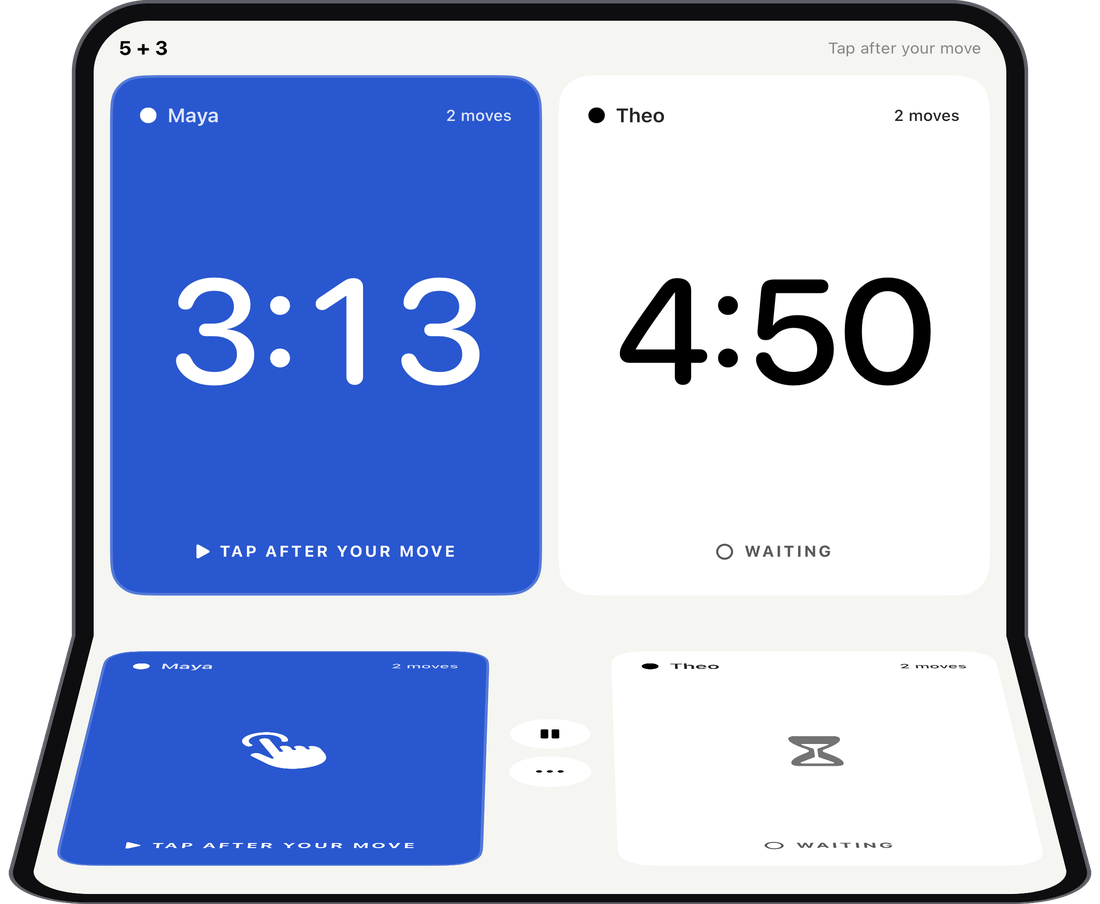
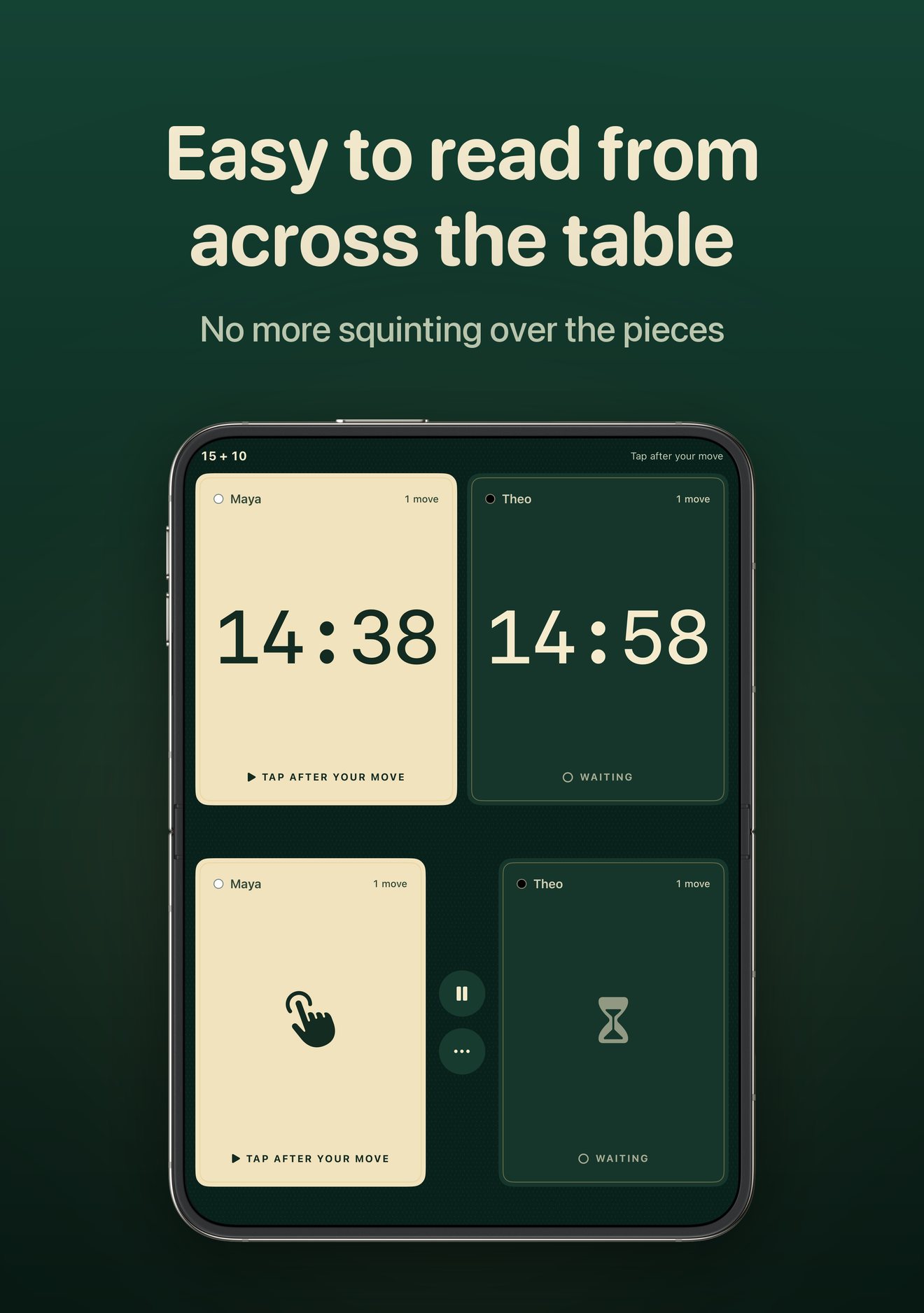
DuoChess on a half-folded iPhone Duo: timers on the upright half, tap pads on the flat half

How It Works

Pick a time control, set the phone beside the board and play. Only the player on move can stop their clock, so a stray tap never costs a turn.

Pick a control

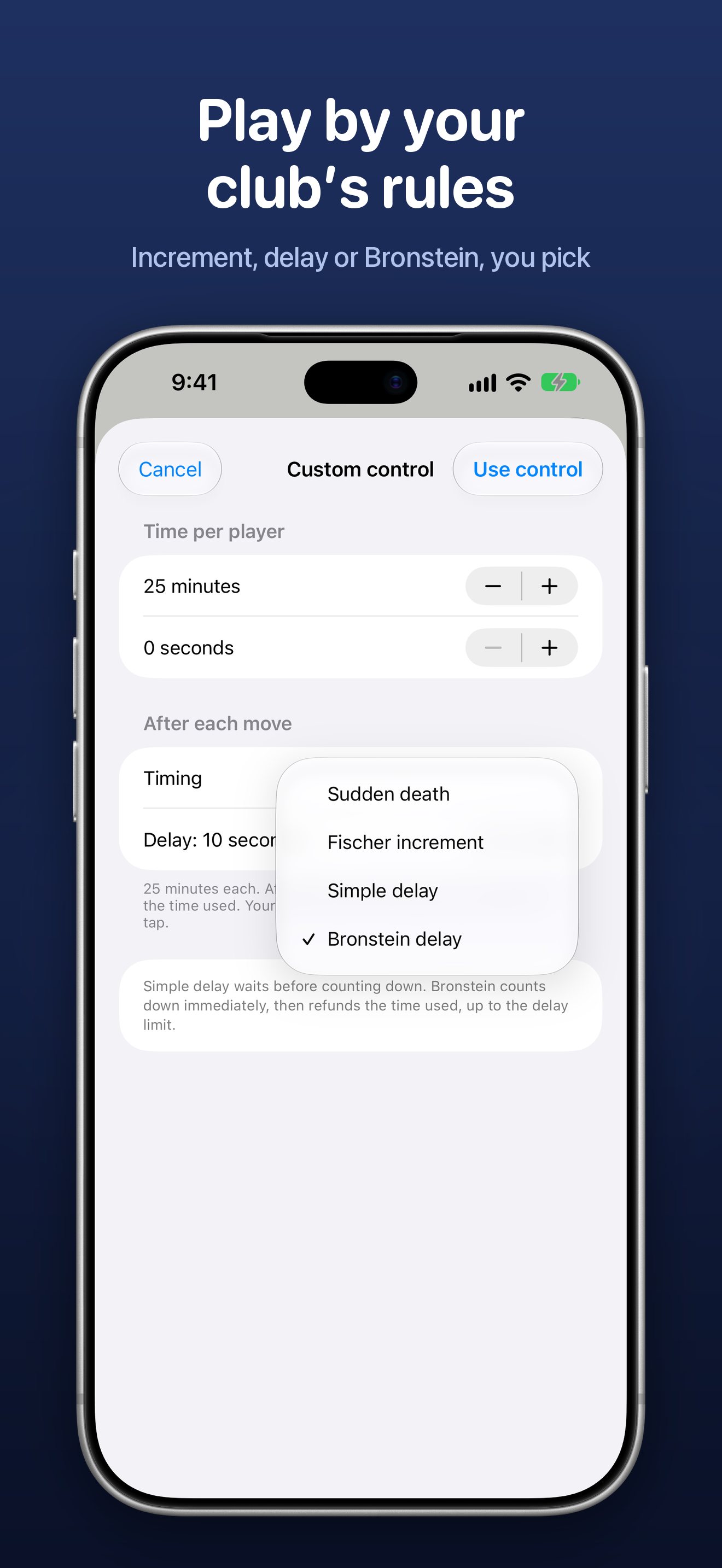
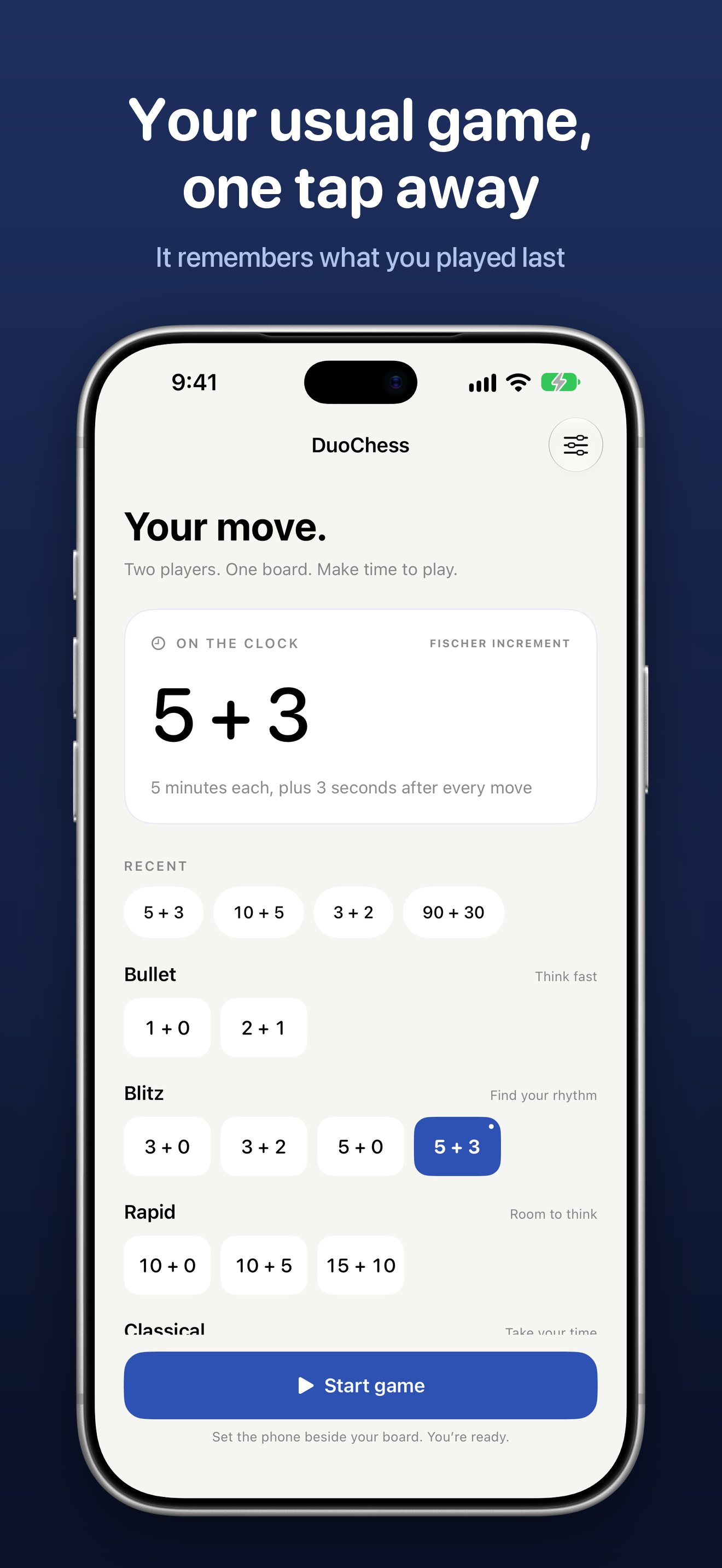
Bullet to classical in one tap, or build your own with increment or delay.

Hold to start

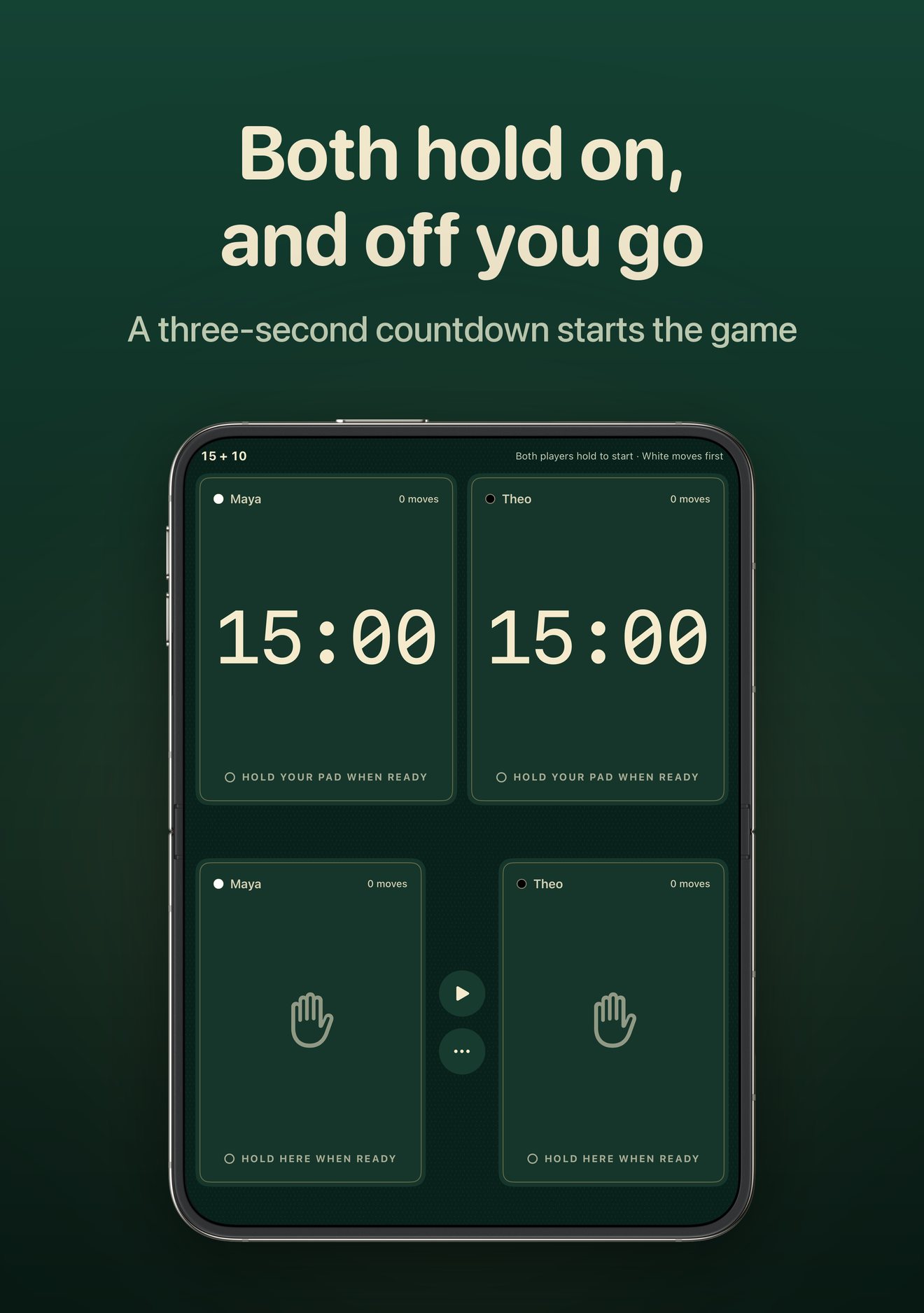
Both players hold their side for a shared three-second countdown. White's clock starts first.

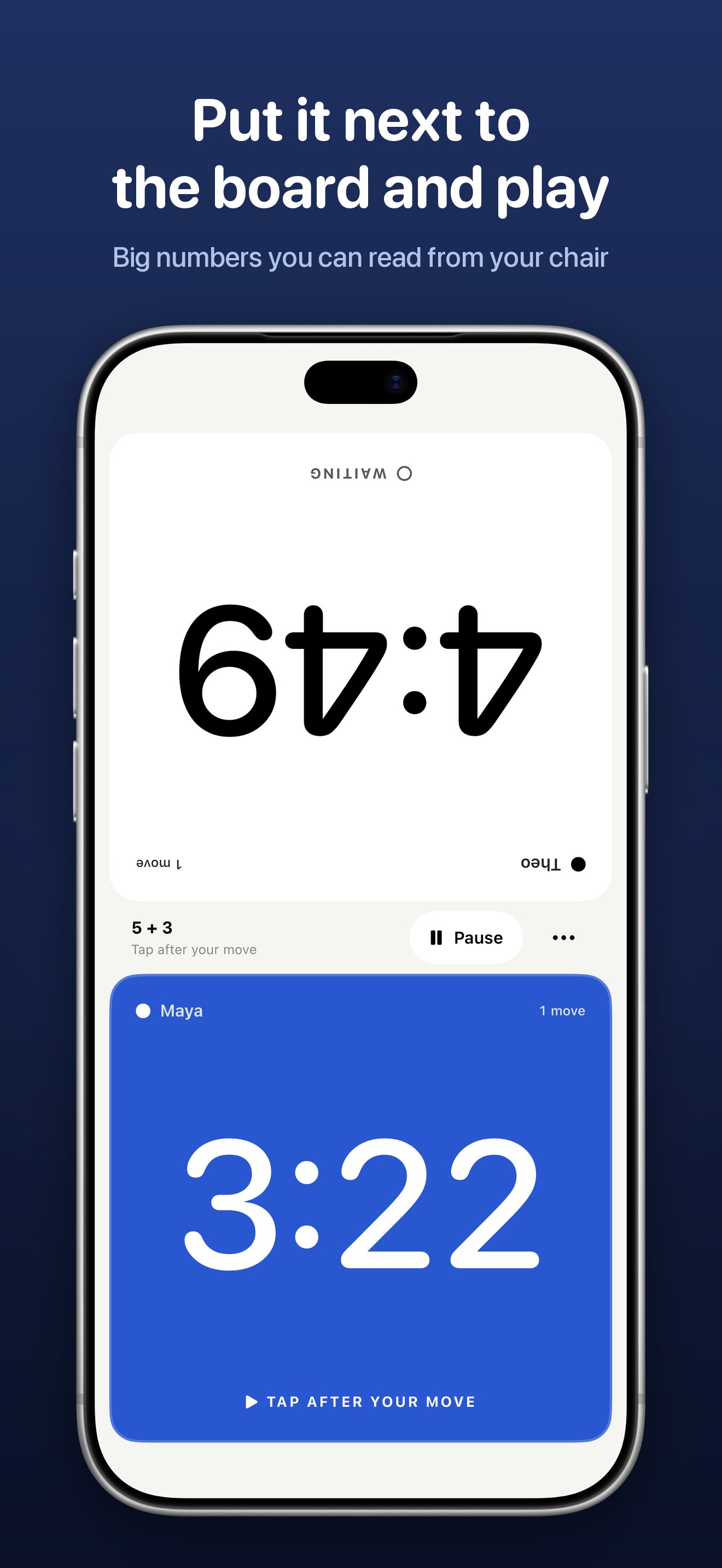
Tap after your move

Big, high-contrast digits with tenths of a second when time runs short.

A clear result

Low-time warnings at 30 and 10 seconds, and a flag-fall result with the final clocks.

DuoChess tabletop mode on iPhone Duo, waiting for both players to hold their pads

Made for iPhone Duo

DuoChess follows the way you hold your iPhone Duo, so the clock always fits the moment.

  • Tabletop: half-fold it and the timers move to the upright half, like a tournament clock, with the tap pads and controls on the flat half
  • Open or closed: lay it flat for the face-to-face clock, or play on the outer display
  • Mid-game: fold or unfold whenever you like; the clock keeps running
  • Swap sides: keep White's clock on White's side of the board

Every time control

Presets for bullet, blitz, rapid and classical, your four most recent controls one tap away, and custom controls up to three hours per player.

  • Fischer increment: add time after every move
  • Simple delay: your clock waits a few seconds before it counts down
  • Bronstein delay: counts down at once, then gives back the time you used, up to the delay
  • Sudden death: no increment, no delay
DuoChess custom time control with Fischer, simple delay and Bronstein options

Screenshots

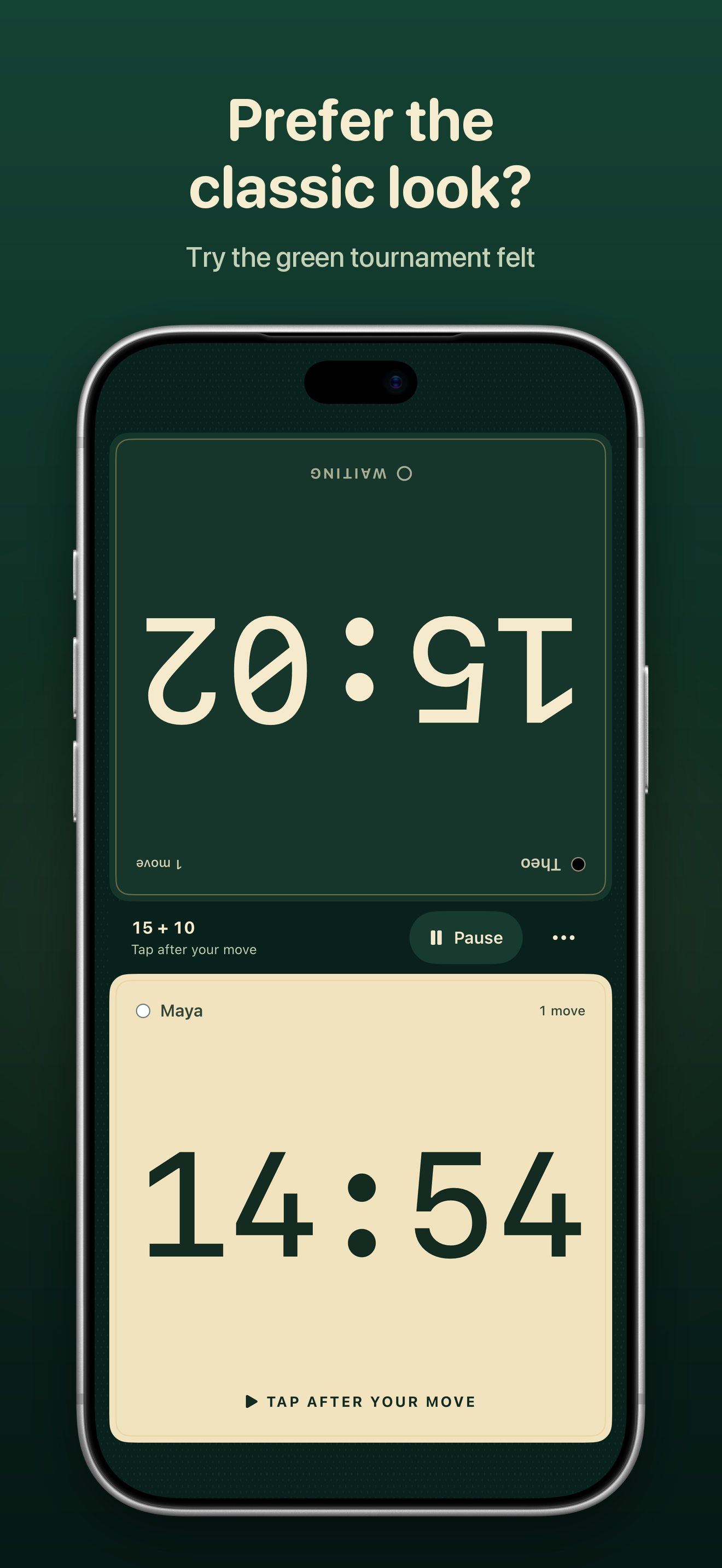
DuoChess clock with both players' times DuoChess time control presets DuoChess Tournament felt clock style DuoChess tabletop mode in Tournament felt on iPhone Duo

Support

Answers to common questions. Still stuck? Email [email protected] and mention your iPhone model and iOS version.

How do I start a game?

Pick a time control and tap Start game. Both players press and hold their own clock face; after a three-second countdown White's clock starts. Playing alone, or prefer a button? Tap Play between the faces and confirm.

How do I end my turn?

Make your move, lift your finger, then tap your own colored clock. Only the player on move can stop their clock.

How does tabletop mode on iPhone Duo work?

Half-fold your iPhone Duo and stand it beside the board. The timers move to the upright half and the tap pads and controls to the flat half. Open it flat or close it for the standard clock. You can fold or unfold mid-game.

White's clock is on the wrong side.

Pause the game, open the ••• menu and choose Swap sides. DuoChess remembers your choice.

What are Fischer, simple delay and Bronstein?

Fischer adds the increment after every move. Simple delay waits a few seconds before your clock starts counting. Bronstein counts down right away, then gives back the time you used, up to the delay. Set any of them under Custom time control.

Does the clock keep running if I leave the app?

Yes. A running clock keeps counting while you check a notification or switch apps, so pause before taking a break. Force-quitting the app ends the current game.

I can't hear any sound.

Sound is off by default. Turn it on in Settings, under Feedback. Sounds follow your iPhone's silent setting.

Does DuoChess collect any data?

No. There is no account, no analytics and no internet connection. Your settings stay on your iPhone.

DuoChess

DuoChess: Chess Clock & Timer

Set up the board, set the clock, and make your move.

Coming soon to the App Store